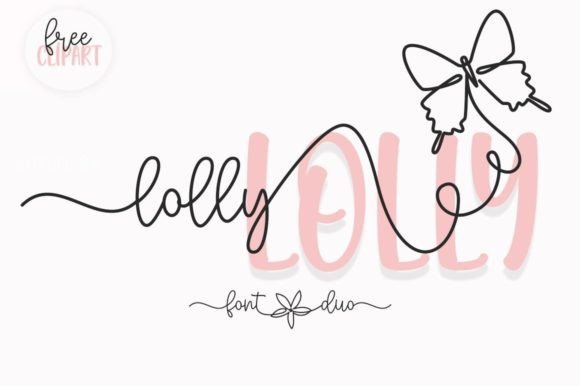
Lolly: A Charming Script Font for Editorial Design
Lolly is a versatile script font that brings a touch of elegance and playfulness to any editorial project. Designed as part of the Script Amp collection, Lolly offers two complementary styles that work well together or separately. Its fluid, handwritten appearance makes it ideal for adding personality to headlines, quotes, and visual elements in blogs, magazines, and digital publications.
The font’s soft curves and expressive strokes create a warm, approachable tone that can enhance the readability and aesthetic of your content. Whether used for a blog header, a magazine cover, or a printable guide, Lolly adds a unique visual identity that stands out without overwhelming the reader.
Using Lolly in Editorial Layouts
In editorial design, typography plays a key role in guiding the reader’s eye and setting the tone of the content. Lolly excels as a display font, making it perfect for headings, subheadings, and pull quotes. Its natural flow and subtle variations give it a handcrafted feel that can elevate the overall look of an article or publication.
For example, a lifestyle blog might use Lolly for its main title, paired with a clean sans serif font for body text. This contrast creates a balanced layout that is both visually appealing and easy to read. Similarly, a recipe ebook could feature Lolly in chapter openers, giving each section a fresh, inviting start.
Enhancing Reader Engagement with Lolly
Lolly’s friendly and expressive style can help build a stronger connection between the content and the reader. In newsletters, social media graphics, or lead magnets, using Lolly for headlines or callout text can draw attention and encourage engagement. Its cheerful character also works well for branding elements like logos, packaging, or promotional materials.
When designing a wedding guide or a coaching workbook, Lolly can be used to highlight key sections or emphasize important information. Its ability to convey emotion and personality makes it a great choice for projects that aim to inspire or inform in a more personal way.
Practical Applications of Lolly
For digital magazines, Lolly can serve as a consistent design element across multiple pages, reinforcing brand identity while maintaining visual interest. In printable planners or worksheets, its legibility ensures that even small text remains clear and readable on paper or in PDF format.
When working with longer texts, it’s best to use Lolly sparingly, such as for section titles or accent typography. Pairing it with a serif or sans serif font helps maintain readability while still allowing the script font to shine where it matters most.
Font Pairing and Design Consistency
Effective font pairing is essential for creating a cohesive design. Lolly pairs well with traditional serif fonts for body copy, offering a contrast that enhances clarity. For modern, minimalist layouts, it can be paired with a clean sans serif font to balance its ornate details.
Designers should also consider the weight and spacing of Lolly when integrating it into their layouts. The font includes alternates and ligatures that allow for customization, helping to avoid repetition and add visual interest. These features make it easier to maintain consistency across different design elements.
Readability and Cross-Platform Use
While Lolly is primarily a display font, its design allows it to be used effectively in various formats. On screens, it maintains legibility at larger sizes, making it suitable for web headers and social media graphics. When exported to PDF or printed, its smooth lines ensure that text remains crisp and clear.
For mobile layouts, designers should test Lolly at different sizes to ensure it remains readable on smaller devices. Its PUA encoding also means that users have access to a wide range of characters, which is useful for multilingual projects or creative expressions.
Commercial Licensing and Creative Freedom
When using Lolly in commercial projects—such as ebooks, templates, printables, or client publications—it’s important to check the licensing terms. Most premium fonts allow for a variety of uses, but understanding the scope of the license ensures that designers can use the font without legal issues.
For independent creators and content brands, Lolly offers a flexible tool for building a unique visual identity. Whether used in a newsletter, a digital magazine, or a printable resource, it adds a touch of personality that can set a publication apart from the competition.
By incorporating Lolly into editorial designs, content creators can enhance the visual appeal of their work while maintaining a strong focus on readability and user experience. Its combination of charm and functionality makes it a valuable addition to any designer’s toolkit.